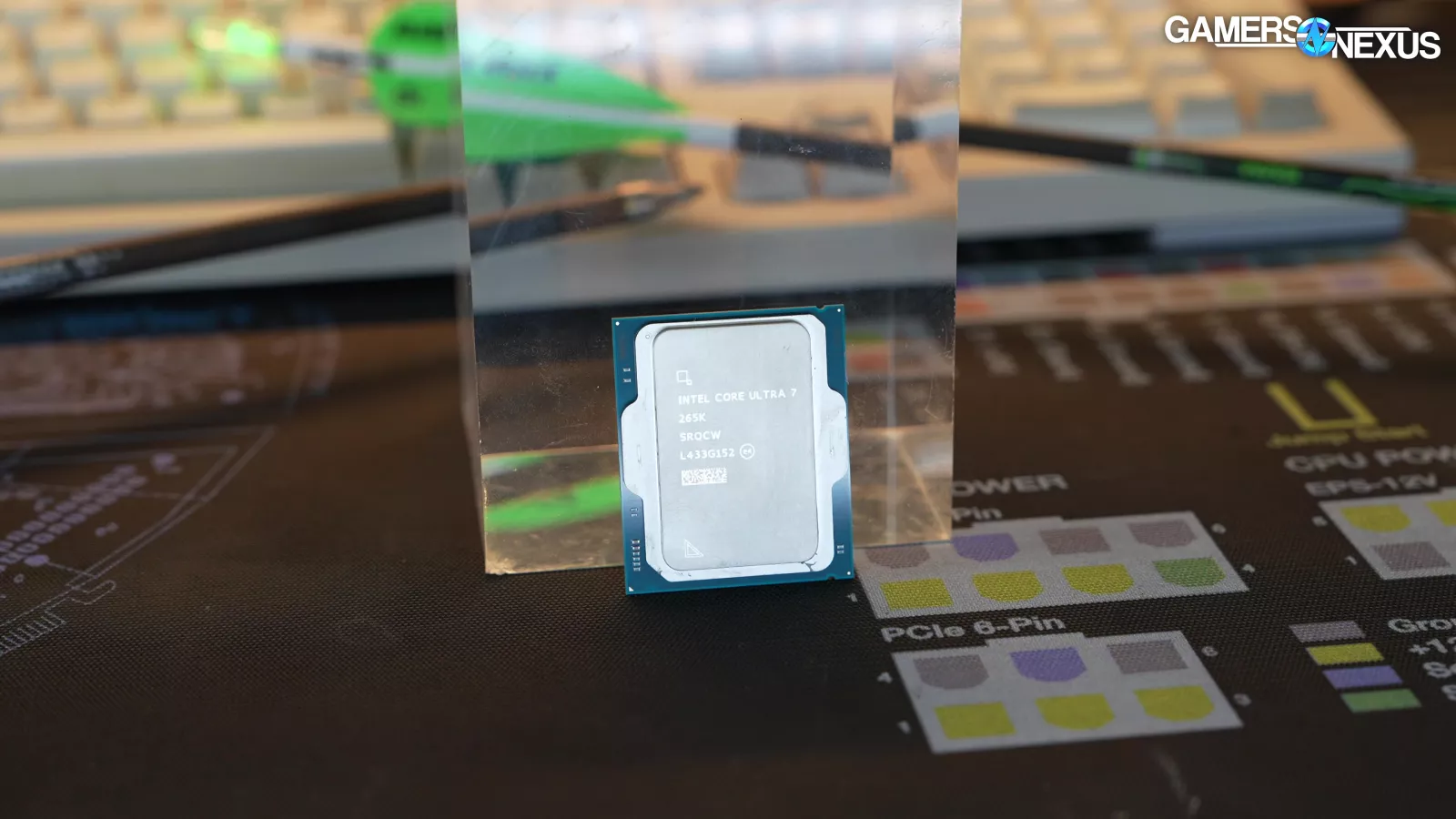
Two Very Different Visions of Performance
Posted on April 25, 2026
On paper, this looks like a straightforward showdown: Apple’s sleek M5-based system on one side, and a traditional desktop built around Intel’s Core Ultra 7 265K and NVIDIA’s GeForce RTX 5070 on the other. In reality, however, this is less a simple contest of speed than a choice between two philosophies of computing. One is elegant, efficient, and deeply integrated. The other is muscular, modular, and unapologetically built for power. Apple PCMag Tom’s Hardware
The Apple M5 system makes its case with refinement: a 10-core CPU, 10-core GPU, 153GB/s memory bandwidth, unified memory up to 32GB on the base M5 MacBook Pro, and battery life rated as high as 24 hours of video streaming. It is the kind of machine designed to feel fast, silent, and effortless in day-to-day use. The Intel-and-NVIDIA desktop, by contrast, is assembled for headroom. The Core Ultra 7 265K brings 20 total cores in an 8P+12E design, while the RTX 5070 adds dedicated graphics power, 12GB of GDDR7 memory, and a 250W board power envelope that puts it in an entirely different class for gaming and GPU-heavy workloads. Apple GamersNexus Tom’s Hardware
For Gaming, the RTX 5070 PC Doesn’t Just Win — It Changes the Conversation
If gaming is even remotely near the top of your priority list, the desktop PC is the more convincing machine. Not by a little, but by design. The RTX 5070 is a discrete graphics card built expressly for high-refresh, high-fidelity gaming, with performance positioned above the RTX 4070 and a nominal $549 MSRP. Tom’s Hardware characterizes it as offering gains that often land toward the high end of the expected uplift over its predecessor, helped by the jump to GDDR7 memory and increased bandwidth. Apple’s 10-core integrated GPU is impressive within the context of a compact notebook, but it is still an integrated GPU in a macOS ecosystem that remains less game-friendly than Windows. Tom’s Hardware Apple
And that distinction matters. On Windows, the PC benefits not only from stronger graphics hardware but also from broader compatibility, better day-one support for major game releases, richer driver optimization, and a significantly more mature enthusiast ecosystem. Apple’s M5 may be efficient and responsive, but for modern AAA gaming, the desktop is simply the machine that gives you more of everything: more frames, more settings headroom, and more flexibility tomorrow than you have today. Tom’s Hardware PCMag
For Everyday Productivity, the Apple M5 Feels Like the More Civilized Machine
That said, raw force is not the only measure of a computer’s worth. The Apple M5 system shines where many people actually spend most of their time: office work, browsing, editing photos, handling creative tasks, writing, coding, and moving fluidly between applications without noise, heat, or friction. Apple’s base M5 MacBook Pro pairs its 10-core CPU and 10-core GPU with a 16-core Neural Engine, hardware-accelerated ray tracing, and impressive battery endurance, all in a platform engineered to stay cool and quiet under normal workloads. Apple
This is where Apple’s appeal becomes more emotional as well as practical. The M5 machine is not merely fast; it is composed. It promises the sort of performance that disappears into the background because it never feels like a burden. For buyers already living inside the Apple ecosystem, that sense of polish only deepens. Continuity, shared services, app optimization, and system integration all contribute to a user experience that feels less like operating a computer and more like inhabiting a seamless environment. Apple
The Intel Core Ultra 7 265K Is Better Under Pressure — but Not Always Better in Games
The CPU side of the debate is more nuanced than the GPU argument. According to PCMag, the Core Ultra 7 265K is a strong-value generalist, delivering exceptional CPU performance for the price and staying relatively manageable thermally. That makes it attractive for users who do more than game: multitasking, content creation, compiling, and other processor-heavy work all play to its strengths. PCMag
Yet the 265K is not an undisputed hero. GamersNexus is notably more critical, arguing that the chip’s gaming value is weaker than its production-work value and that AMD alternatives can be more compelling for a gaming-first desktop. In other words, the 265K helps make this PC a powerful all-rounder, but the desktop’s clearest advantage over the M5 is still the RTX 5070, not the Intel processor alone. That distinction is important because it clarifies what truly makes the desktop worth building: not just CPU strength, but the total platform’s ability to scale. GamersNexus PCMag
Power Efficiency Is Where Apple Still Looks Years Ahead
This is the category where the M5 does not merely compete — it defines the terms. Apple’s base M5 MacBook Pro is specified for up to 24 hours of video streaming and up to 16 hours of wireless web use, an extraordinary claim that reflects Apple Silicon’s continuing command of performance per watt. The M5 platform gives you a 10-core CPU, 10-core GPU, and 153GB/s memory bandwidth without asking you to live with desktop-class heat, fan noise, or power draw. Apple
The PC, by comparison, is unapologetically hungrier. GamersNexus recorded the Core Ultra 7 265K drawing 163W in 7-Zip compression and 144W in Starfield in one of its tests, while Tom’s Hardware lists the RTX 5070 at 250W TBP. Add motherboard, storage, cooling, and the rest of the system, and the desktop’s appetite is not subtle. That may be a perfectly acceptable trade if you want the extra horsepower, but it underscores the philosophical divide: the PC buys performance with watts, while Apple tries to buy elegance with efficiency. GamersNexus Tom’s Hardware
Upgradeability Is the Desktop’s Enduring Advantage
Here, the custom PC makes its strongest long-term argument. An Intel desktop built on MSI’s PRO Z890-S WIFI platform gives you PCIe 5.0 expansion, DDR5 support, Gen5 M.2 support, Thunderbolt 4, 2.5GbE, Wi‑Fi 7, and the practical freedom to replace or improve components over time. You can swap the GPU, add storage, increase memory, upgrade cooling, or rebuild the machine’s character piece by piece. MSI
Apple offers none of that flexibility. What you buy on day one is essentially what you will own for the life of the machine. The M5 MacBook Pro does support up to two external displays over Thunderbolt and HDMI, but Apple’s own specs do not mention eGPU support, and Apple Silicon’s tightly integrated architecture means the old external-GPU escape hatch no longer exists in any meaningful mainstream sense. For users who want a system that evolves over time, the desktop is not just better — it is operating in a different category altogether. Apple MSI
Price: Value Favors the PC, Premium Refinement Favors the Mac
Apple’s own storefront lists the 14-inch MacBook Pro with the M5, 10-core CPU, and 10-core GPU from $1,699. Meanwhile, the Core Ultra 7 265K is positioned by PCMag at a $394 MSRP, and the RTX 5070 carries a nominal $549 MSRP according to Tom’s Hardware. Once you add a Z890 motherboard, DDR5 memory, case, PSU, storage, and cooling, a similarly classed desktop typically lands well above those two flagship component prices combined — but still often delivers stronger gaming and GPU compute value for the money. Apple PCMag Tom’s Hardware
That is the central trade-off. Apple charges a premium for industrial design, mobility, battery life, and platform integration. The desktop directs more of your money into raw horsepower and future upgrade paths. Neither approach is irrational. They simply answer different questions.
The Verdict: Buy the Machine That Matches Your Ambition
If your world revolves around gaming, GPU acceleration, local AI workloads, or the freedom to upgrade over time, the Intel Core Ultra 7 265K and RTX 5070 desktop is the more ambitious and more capable buy. It is louder, hotter, and less elegant — but it is also vastly more expandable and dramatically better suited to serious gaming and graphics-heavy work. Tom’s Hardware MSI
But if what you want is a machine that feels refined every single time you open it — one that offers strong performance, exceptional efficiency, long battery life, and a premium day-to-day experience with almost no friction — the Apple M5 is the more persuasive choice. It may not be the machine for chasing the highest frame rates, but it is arguably the one most likely to feel delightful longest. And that, for many buyers, is its own kind of performance. Apple
Side-by-Side Comparison Table
| Category | Apple M5 10-core GPU system | Intel Core Ultra 7 265K + RTX 5070 PC |
|---|---|---|
| Overall performance profile | Strong single-system responsiveness, efficient integrated CPU/GPU design, excellent for productivity, creative work, and portable professional use | Higher raw desktop performance ceiling, especially once the RTX 5070 is engaged for graphics and compute |
| CPU character | 10-core CPU tuned for efficiency and fluid everyday responsiveness | 20-core CPU (8P+12E) with strong general-purpose desktop performance and good productivity value |
| GPU / graphics power | 10-core integrated GPU; capable, efficient, but still limited versus a modern discrete gaming GPU | RTX 5070 with 12GB GDDR7 and 250W TBP; decisively stronger for gaming, 3D, and GPU-accelerated workloads |
| Gaming | Fine for lighter or supported Mac titles, but limited by macOS game availability and integrated graphics | Clear winner; far better for AAA gaming, higher settings, higher frame rates, and wider game support |
| Power efficiency | Major advantage; Apple rates the M5 MacBook Pro for up to 24 hours video playback and up to 16 hours wireless web | Much higher power draw under load; CPU and GPU together consume far more power than the M5 platform |
| Thermals / acoustics | Typically quieter and cooler in everyday use | More heat and fan noise, especially under gaming or rendering loads |
| Memory architecture | Unified memory; 16GB/24GB/32GB options on base M5 MacBook Pro, 153GB/s bandwidth | Traditional desktop memory plus dedicated VRAM; more modular, but less integrated |
| Upgradeability | Essentially fixed after purchase | Excellent; GPU, storage, memory, cooling, and other components can be upgraded over time |
| External graphics | No meaningful mainstream eGPU path on Apple Silicon | Native discrete GPU platform by design |
| Motherboard / platform flexibility | Closed platform | Open desktop platform with PCIe 5.0, Gen5 M.2, Thunderbolt 4, Wi‑Fi 7, and expansion options |
| Best use case | Productivity, portability, quiet creative work, long battery life, Apple ecosystem users | Gaming, AI/GPU workloads, desktop multitasking, enthusiast builds, long-term upgrade plans |
| Starting / indicative price | From $1,699 for a 14-inch M5 MacBook Pro configuration | Typically higher than CPU+GPU MSRP alone once board, RAM, storage, PSU, case, and cooling are added; often a better gaming-value proposition overall |
| Best for buyers who want… | A premium, efficient, low-friction computer experience | Maximum flexibility, stronger gaming, and more raw GPU-driven performance |
The comparison above is based on Apple’s MacBook Pro specifications and storefront pricing, Intel Core Ultra 7 265K review coverage from PCMag and GamersNexus, RTX 5070 review data from Tom’s Hardware, and motherboard platform details from MSI. Apple Apple Store PCMag GamersNexus Tom’s Hardware MSI
Reference visuals
- MacBook Pro 14-inch product image
- Intel Core Ultra 7 265K review chart image
- Intel Core Ultra 7 265K final thoughts image
If you want, I can also turn this into a publication-ready blog post layout, a shorter op-ed version, or a buyer’s guide with “who should buy what” callout boxes.

 A 1943 rail pass entitled the holder to travel on all ordinary passenger trains of the Hershey Electric Railway. Hershey Community Archives
 The chocolate magnate Milton S. Hershey had a “personal infatuation” with Cuba.Underwood Archives/Getty Images
 Service on the Hershey Electric Railway in Cuba continued into at least the 2010s but became increasingly sporadic, with aging equipment like this car at the Central Hershey station. Hershey Community Archives
 Cuba’s frequent power outages make it difficult to operate the Hershey Electric Railway. In this 2009 photo, passengers await the restoration of electricity so they can continue their journey.Adalberto Roque/AFP/Getty Images
 Teletext created unusually legible text in the 8-bit era by enlarging alphanumeric characters and interpolating new pixels by looking for existing pixels touching diagonally, and adding whitespace between characters. Graphic characters were not interpolated, and featured blocky chunks known as sixels for their 2-by-3 arrangement. My modern recreation uses the open-source font Bedstead, which replicates the look of teletext, including the graphics characters. James Provost
 Iran’s internet infrastructure is more centralized than in other parts of the world, making it easier for the government to restrict the flow of information. Morteza Nikoubazl/NurPhoto/Getty Images
 Many Iranian citizens have free-to-air satellite dishes, like the ones on this apartment building in Tehran, and can thus download Toosheh transmissions, giving them a lifeline during internet blackouts.Morteza Nikoubazl/NurPhoto/Getty Images
 HOW TOOSHEH WORKS: At NetFreedom Pioneers, content curators pull together files—news articles, videos, audio, and software [1]. Toosheh’s encoder software [2] compresses the files into a bundle, in .ts format, creating an MPEG transport stream [3]. From there, it’s uploaded to a server for transmission [4] via a free-to-air TV channel on a Yahsat satellite that’s positioned over the Middle East to provide regional coverage [5]. Satellite receivers [6] directly capture the data streams, which are downloaded to computers, smartphones, and other devices, and decoded by Toosheh software [8].Chris Philpot
 A graph of network connectivity in Iran shows that on 9 January 2026, internet access dropped from nearly 100 percent to 0. Samuel Boivin/NurPhoto/Getty Images
 The internet shutdown in Iran continued after the attacks by Israel and the United States began in late February, preventing Iranians from communicating with the outside world and with one another.Fatemeh Bahrami/Anadolu/Getty Images